
Open AI Usage from vendor dashboard menu (or the View usage report link on the widget #4.1).
ℹ️ This page shows vendor’s own usage and is available to vendors and their staff. Marketplace admins don’t see this menu — admins review every vendor’s usage from the Vendors page (see #3.5).
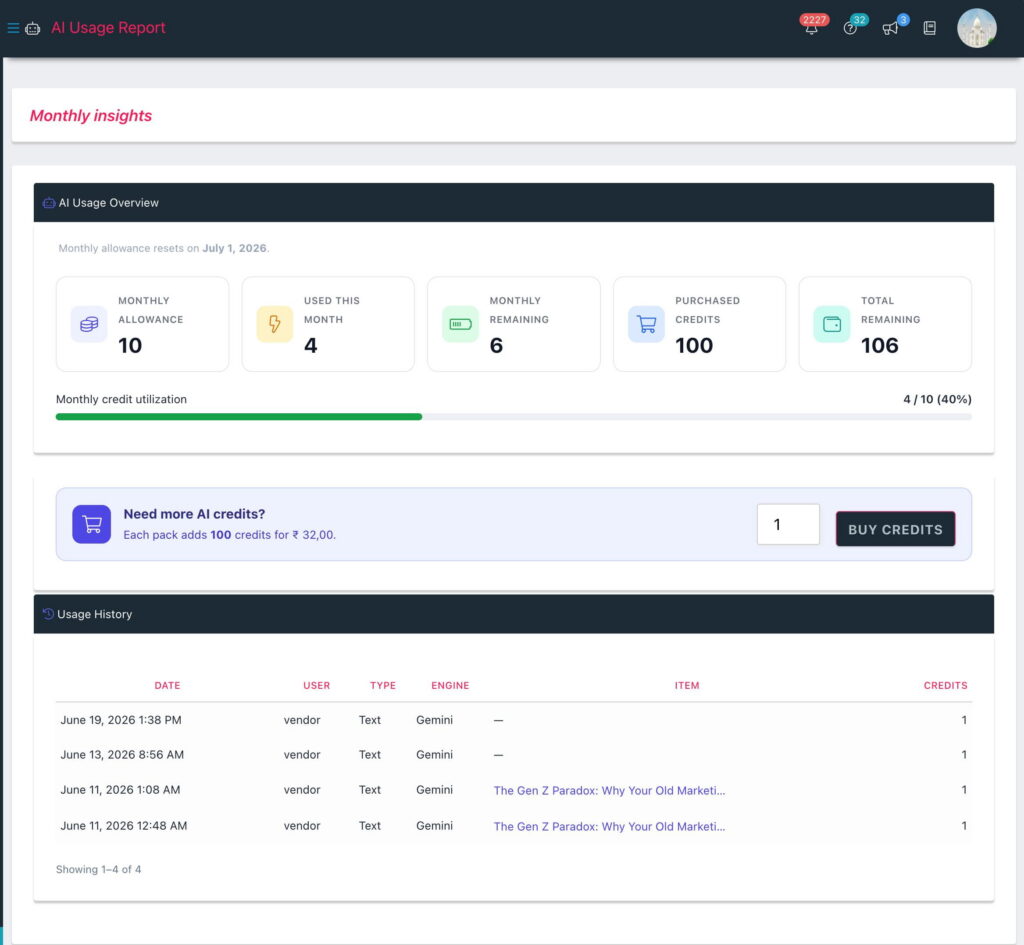
- Summary cards: Monthly allowance, Used this month, Monthly remaining, Purchased credits and Total remaining — with a monthly utilization bar, and the date your allowance resets shown just above the cards.
- Usage history: every request with its date, user, type (Text/Image), engine, the item it was for (product/article names link straight to their editor), and credits spent. Use the pager below the table to step through older entries — handy if a charge is ever queried.