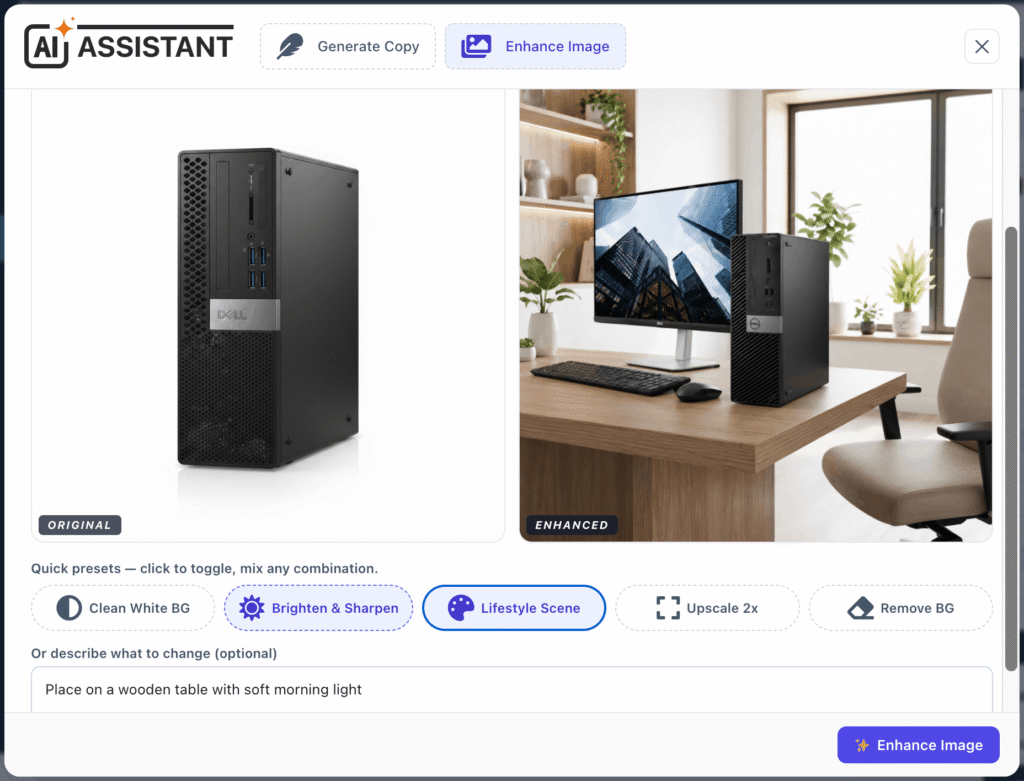
- In the product editor, open the AI popup’s Enhance Image tab (or use the Enhance Image button near the product gallery).
- Choose one of the product’s images.
- Toggle one or more presets (you can combine several):
- Clean White BG
- Brighten & Sharpen
- Lifestyle Scene
- Upscale 2x
- Remove BG.
- (Optional) type a specific instruction, then click Enhance Image.
- Compare the Original / Enhanced result.
- Insert / Apply to add the enhanced image to the product.
- Refine Result to run another pass on the new image.
- Start Over to pick a different image.