
- Open Media from your dashboard menu.
- On any image row, click the Enhance with AI (magic wand) icon.
- A popup shows the Original on the left. Pick presets / type a prompt, then click Enhance to see the Enhanced version on the right.
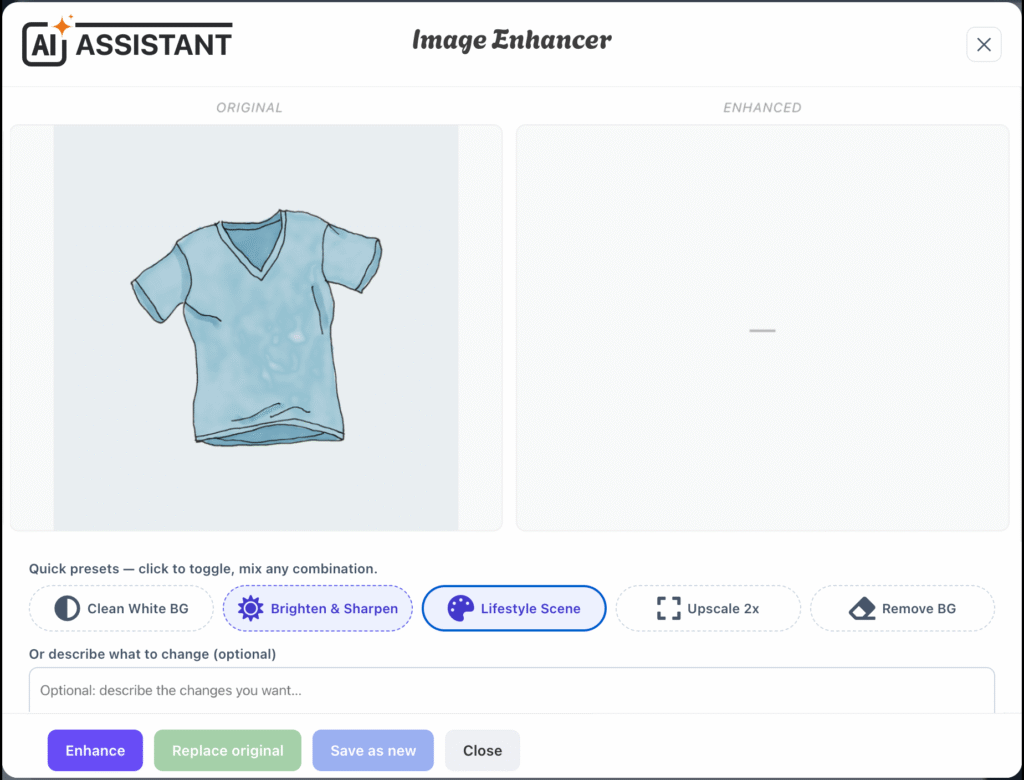
- Choose what to do:
- Replace original — overwrites the existing image in place (same file, same web address), so it updates everywhere the image is used.
⚠️ If the image is used by more than one product/post, you’ll get a warning listing them first — because they will all change. Confirm to proceed.
- Save as new — keeps the original and adds the enhanced image as a new file.
- Discard / Close — change nothing.
- Replace original — overwrites the existing image in place (same file, same web address), so it updates everywhere the image is used.