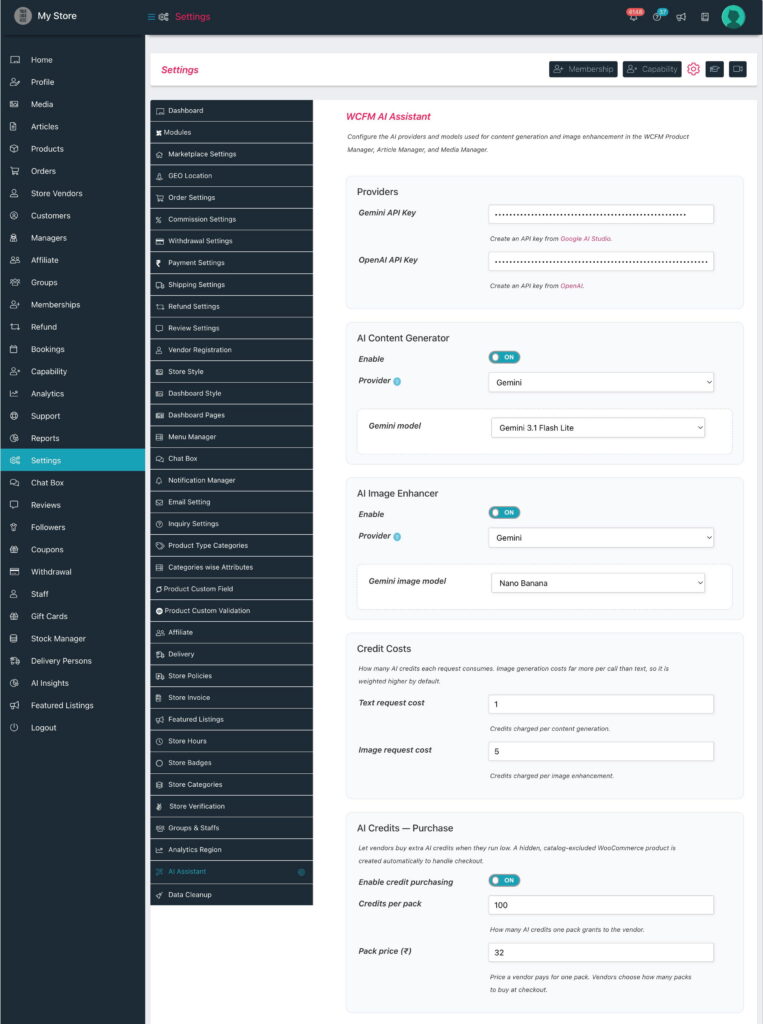
You control access with capabilities. These live on the Capability settings — both the global default and per group (via WCFM Groups & Staffs).
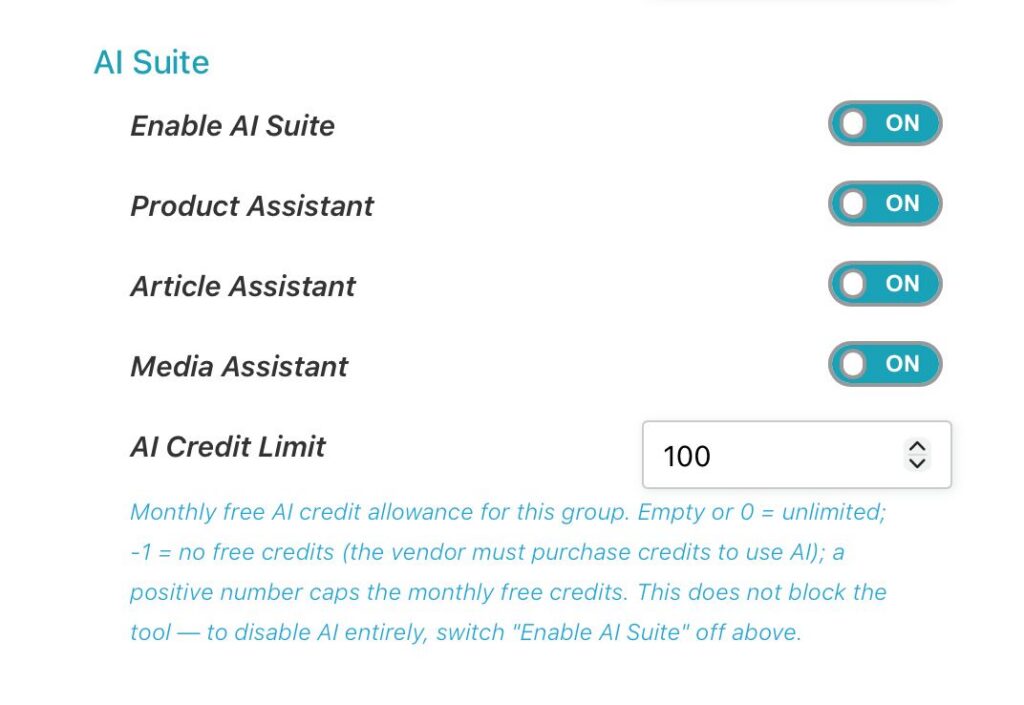
The AI Suite capability section has:
| Setting | What it does |
|---|---|
| Enable AI Suite | Master switch. ON = the group may use AI; OFF = blocked entirely. |
| Product Assistant | ON = may use AI on the Product editor (copy + image). |
| Article Assistant | ON = may use AI in the Article editor (title + excerpt + body). |
| Media Assistant | ON = may use the Enhance with AI button on the Media page. |
| AI Credit Limit | Monthly free credit allowance for this group. Empty or 0 = Unlimited; -1 = no free credits (the vendor must purchase a credit pack to use AI — this does not block the tool); a positive number = that monthly free cap. To disable AI entirely, use Enable AI Suite above. |
To give different vendors different allowances (e.g., a Basic vs Pro membership):
- Create or open a vendor Group (WCFM Groups & Staffs) — or a Membership plan that maps to a group.
- Set that group’s AI Credit Limit (e.g., Basic = 50, Pro = 500, or empty for Unlimited).
- Assign vendors to the group (or let them subscribe to the membership). Their AI allowance follows their group automatically.