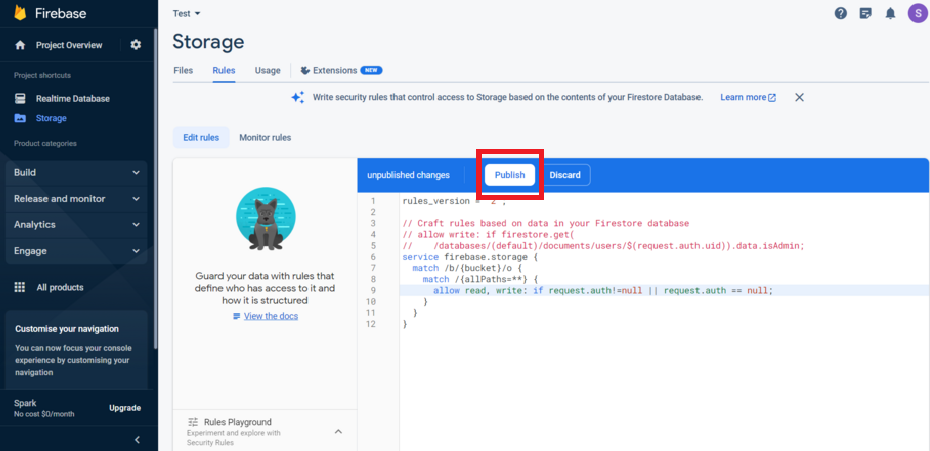
Step 1 : Click on Realtime Database from left menu. 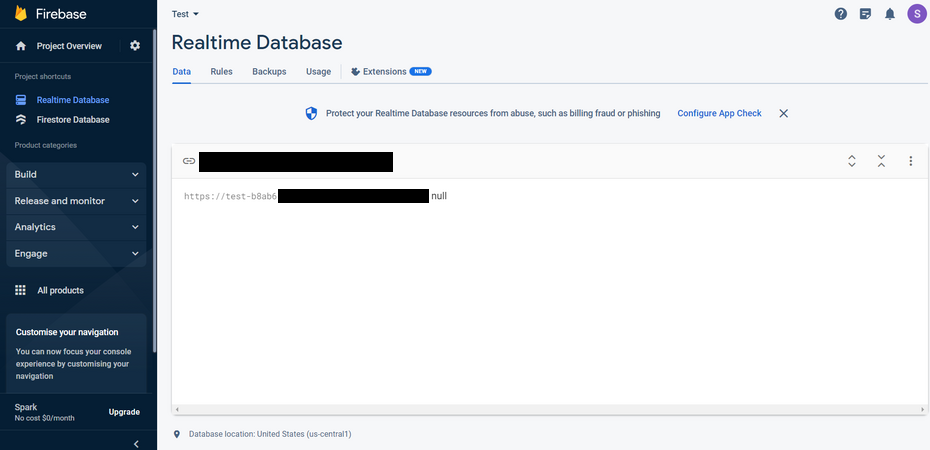
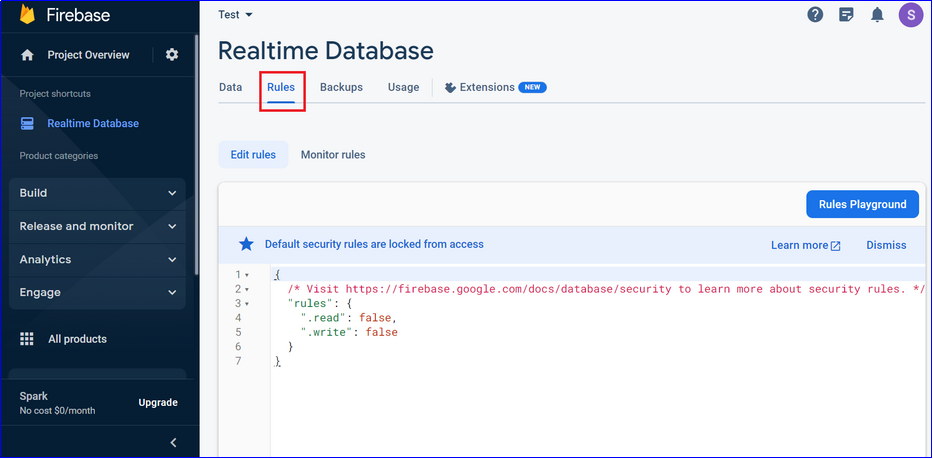
Step 2 : Switch to Rules tab
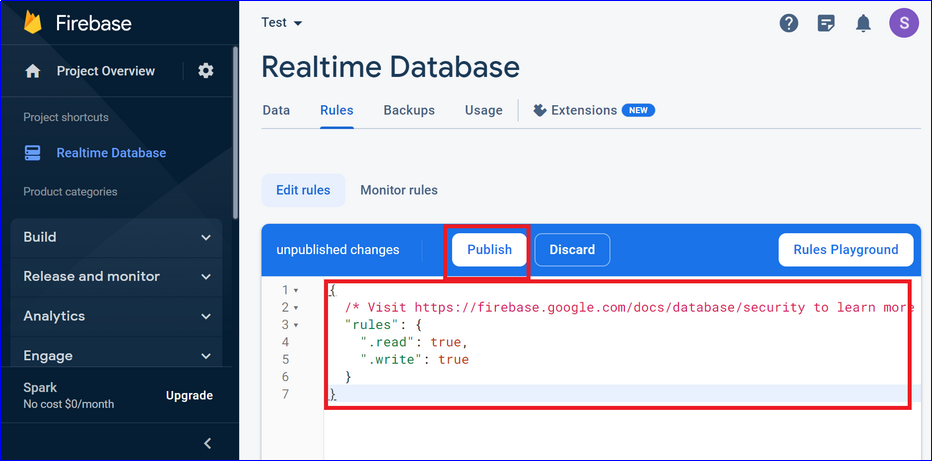
Step 3 : Replace code with the following code (same as shown in below image, if it’s not same already) and click on Publish button Code:
{

"rules": {

".read": "true",

".write": "true"

}

}
Step 4 : Click on Storage from left menu. 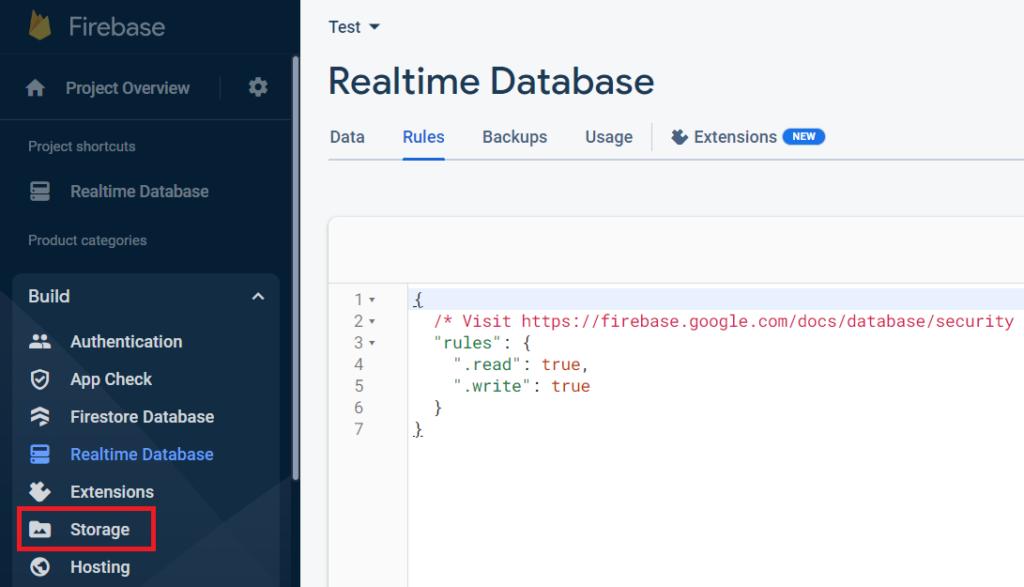
Step 5 : Click on Get Started 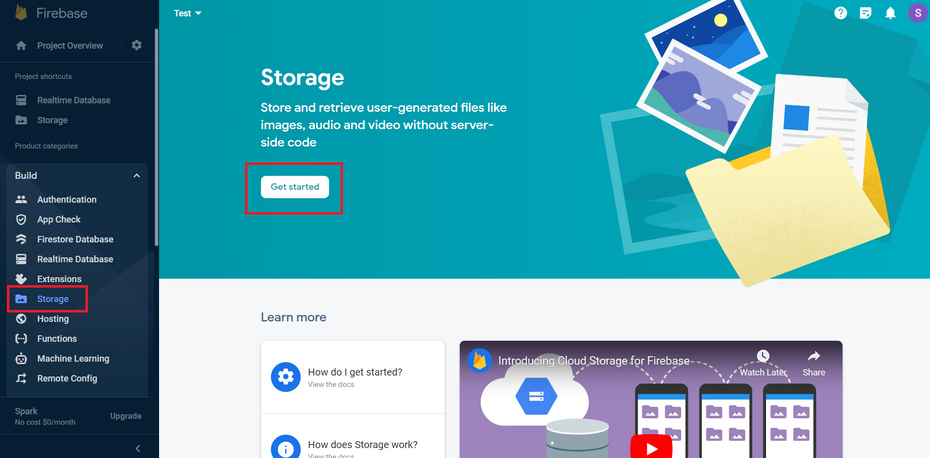
Step 6 : Follow the setup wizard and set the Storage rules as shown below: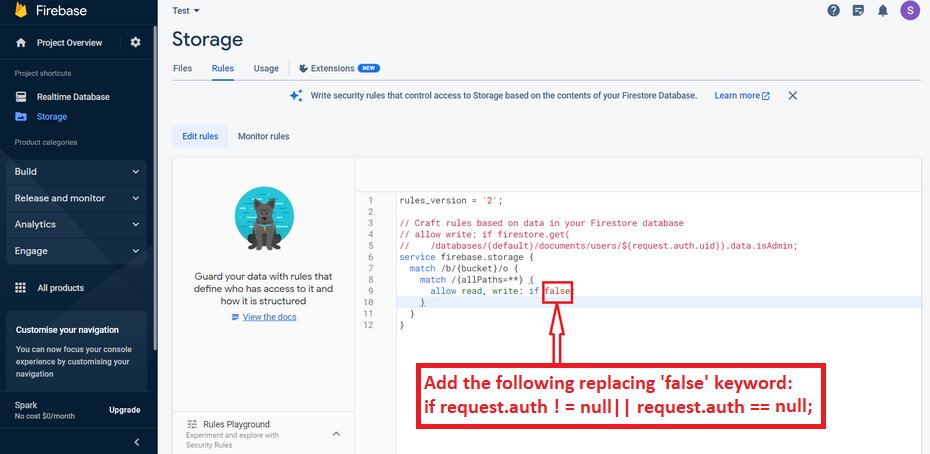
Step 7 : Click on Publish as shown below.