
Open the Vendors page from the WCFM dashboard (Dashboard > Store Vendors). Each vendor row shows their AI credits used this month / their limit (e.g., 12 / 50, or 12 / ∞ for unlimited), marked with a robot icon.
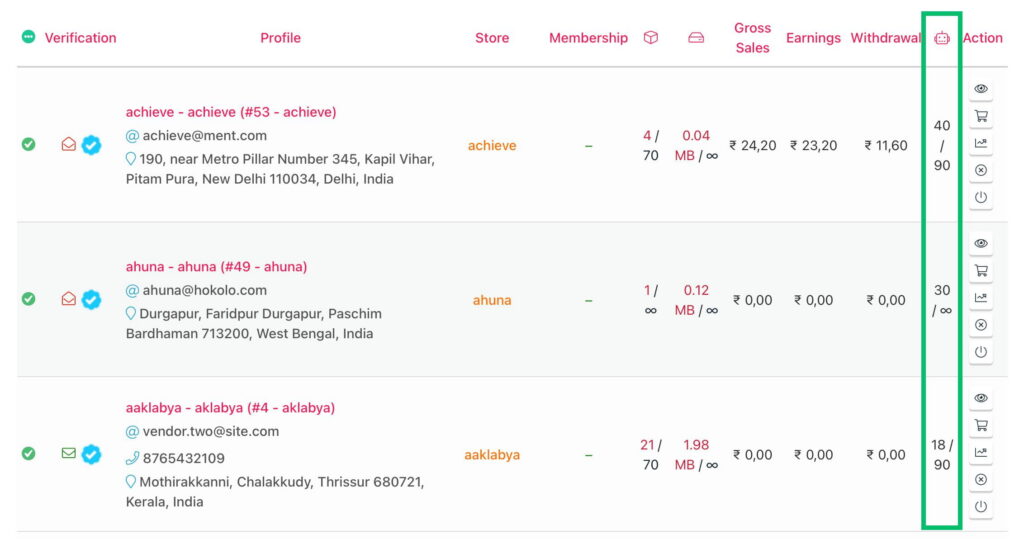
Open the Vendors page from the WCFM dashboard (Dashboard > Store Vendors). Each vendor row shows their AI credits used this month / their limit (e.g., 12 / 50, or 12 / ∞ for unlimited), marked with a robot icon.