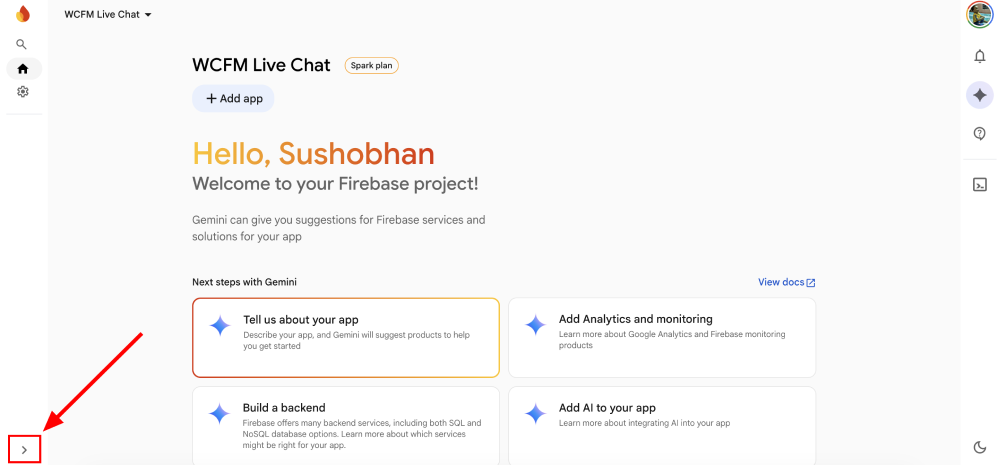
Step 1 : On the project home screen, click the sidebar toggle button
Step 2 : This will expand the sidebar menu.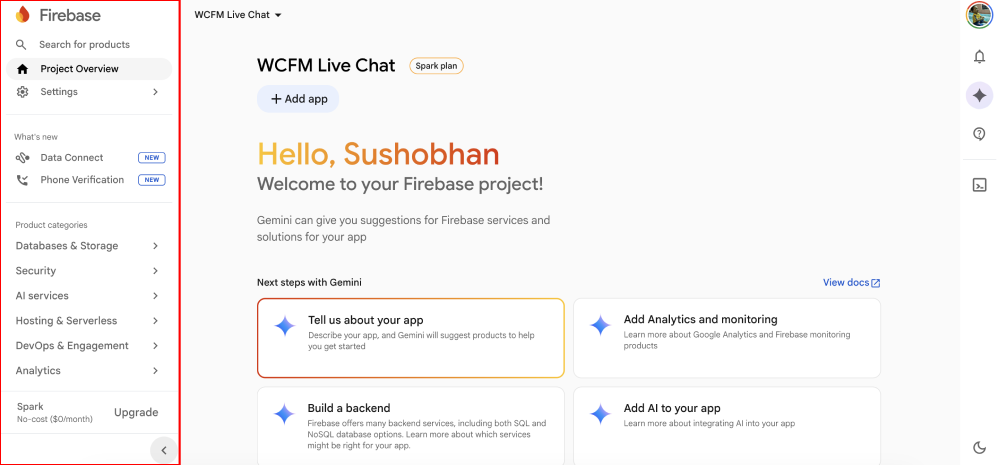
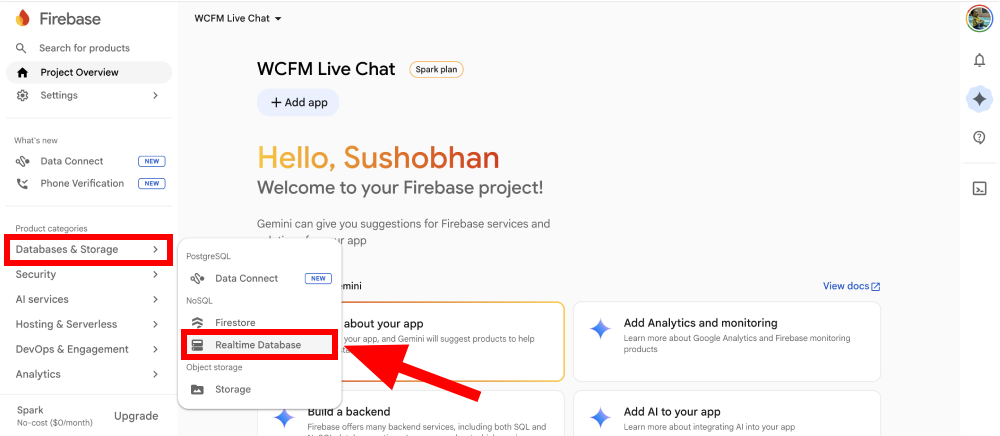
Step 3 : From the sidebar, navigate to Databases & Storage > Realtime Database
Step 4 : On the Realtime Database screen, click Create Database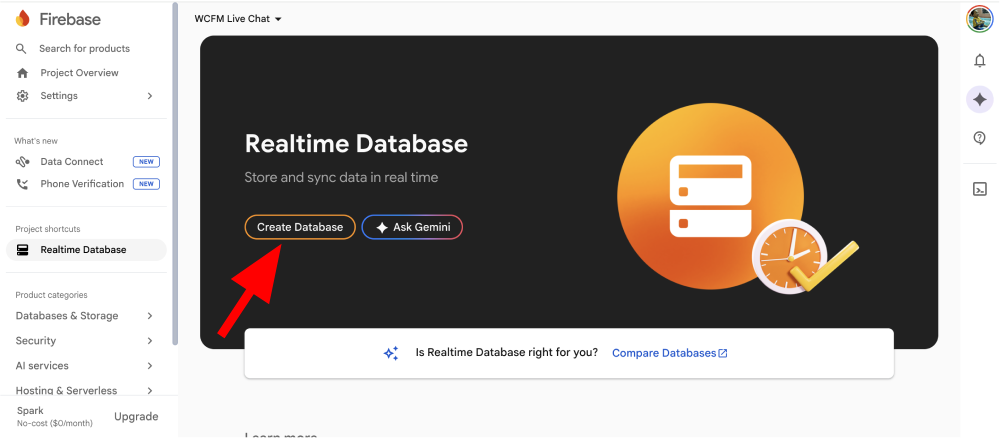
Step 5 : Choose the database location and click Next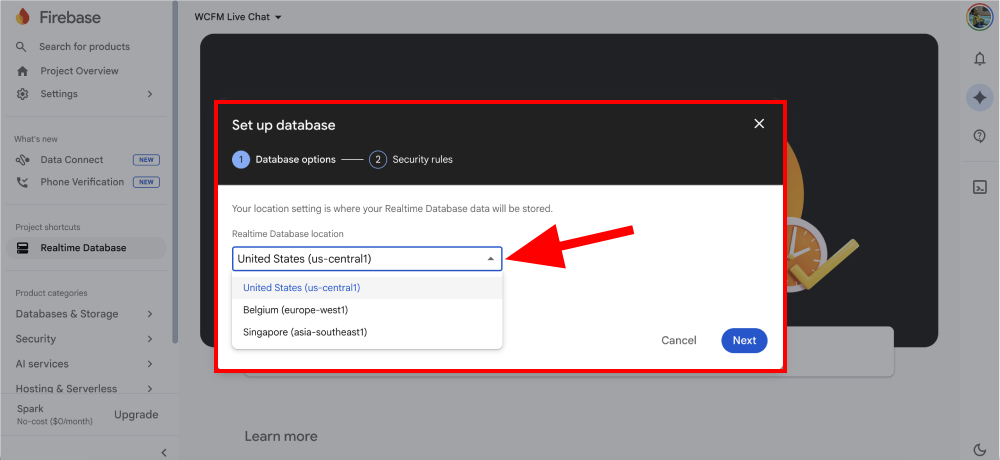
Step 6 : Click Enable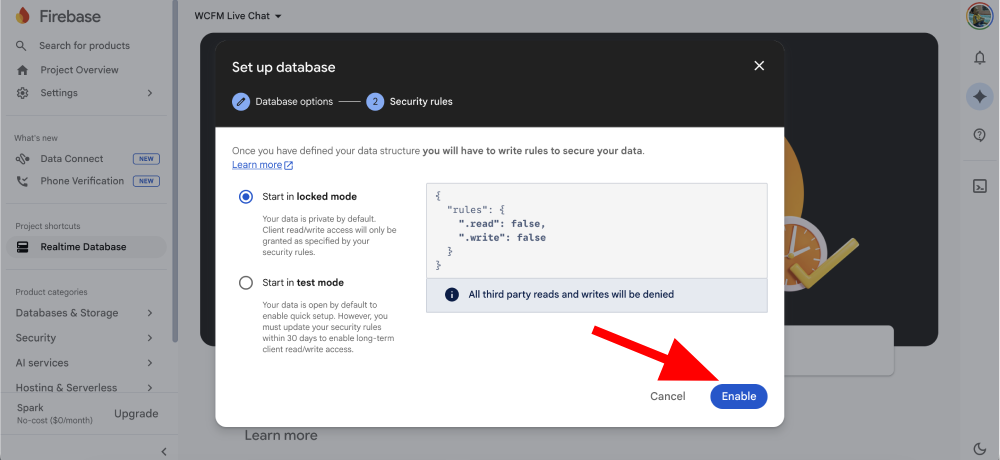
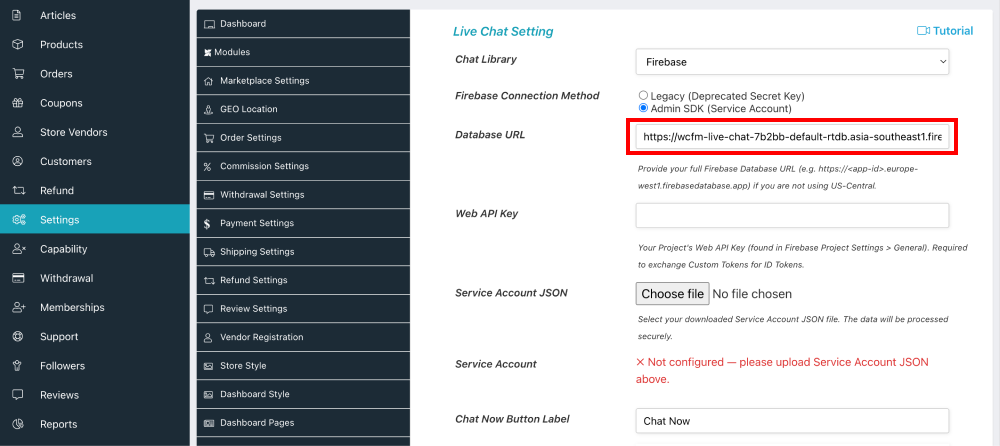
Step 7 : Copy the Firebase Database URL and add it to the WCFM dashboard > Settings > Chat Box > DatabaseURL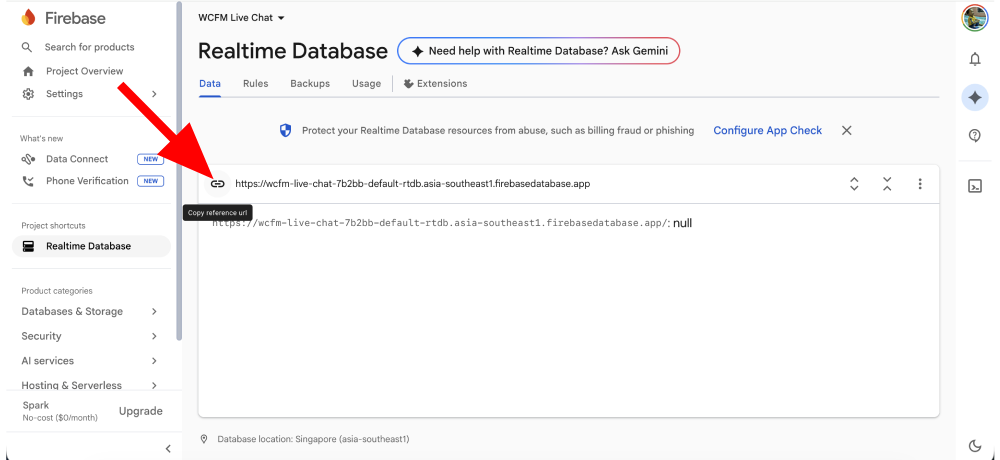
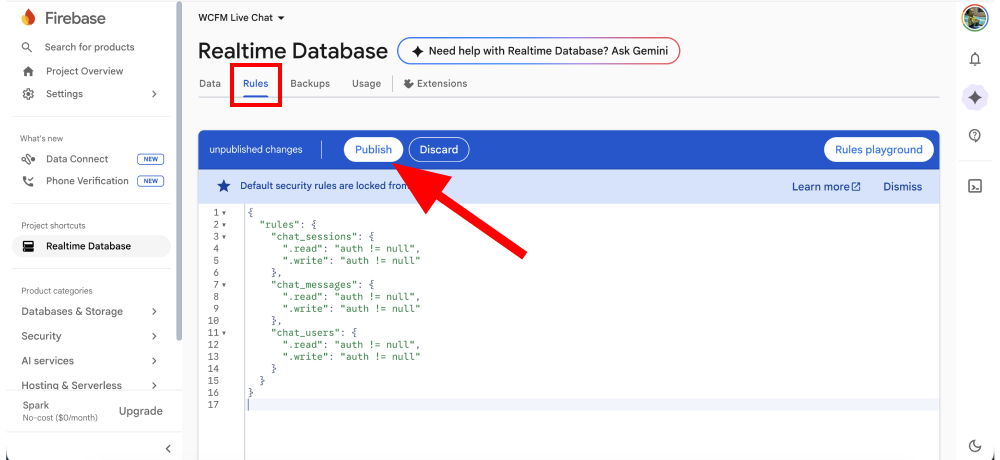
Step 8 : Click the Rules tab, copy-paste the following rules, and then click Publish
{
  "rules": {
    "chat_sessions": {
      ".read": "auth != null",
      ".write": "auth != null"
    },
    "chat_messages": {
      ".read": "auth != null",
      ".write": "auth != null"
    },
    "chat_users": {
      ".read": "auth != null",
      ".write": "auth != null"
    }
  }
}