
Step 1 : Create a Web App for your project. Click the Settings menu in the sidebar, scroll to the Your apps section at the bottom of the General tab under Project settings page, and select the Web (</>) icon.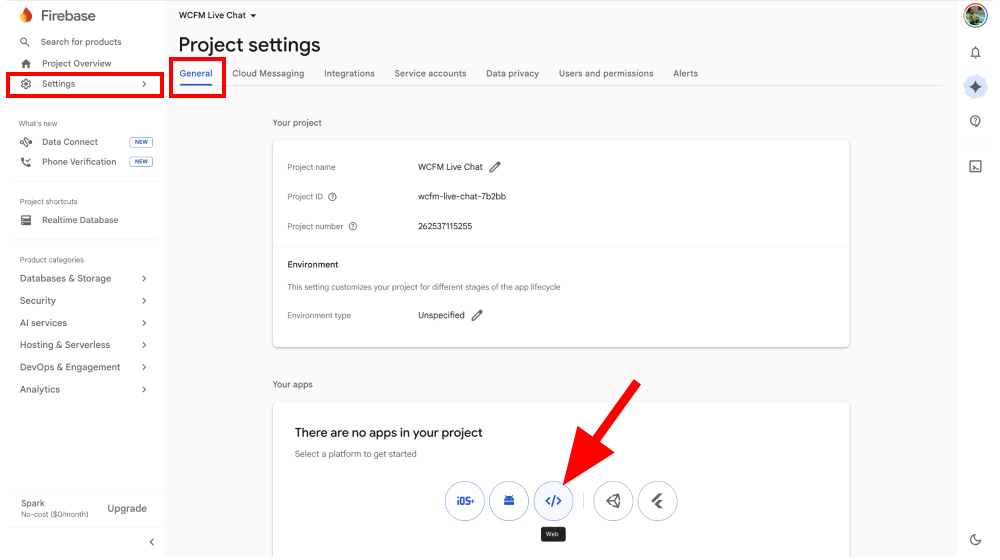
Step 2 : Enter an app name (e.g., “WCFM Web App”) and click the Register app button.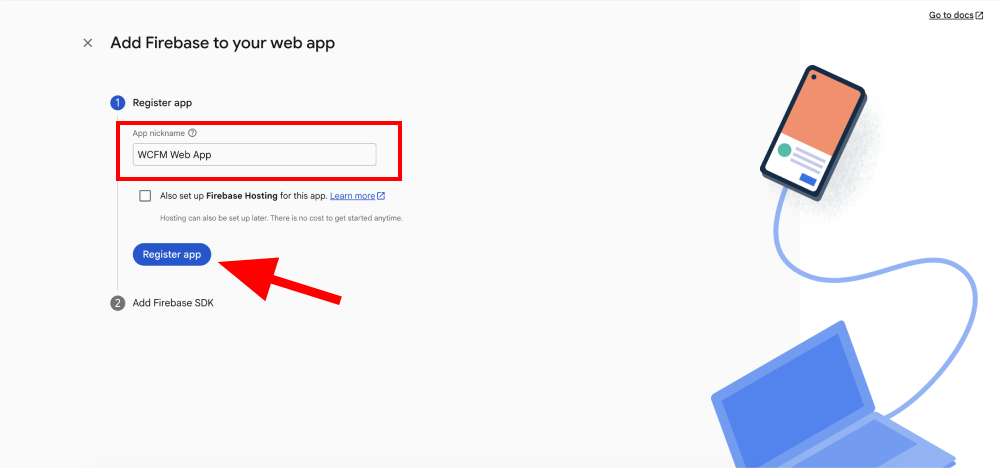
Step 3 : You’ll see the app configuration details. You can copy the apiKey now or retrieve it later. Click Continue to console.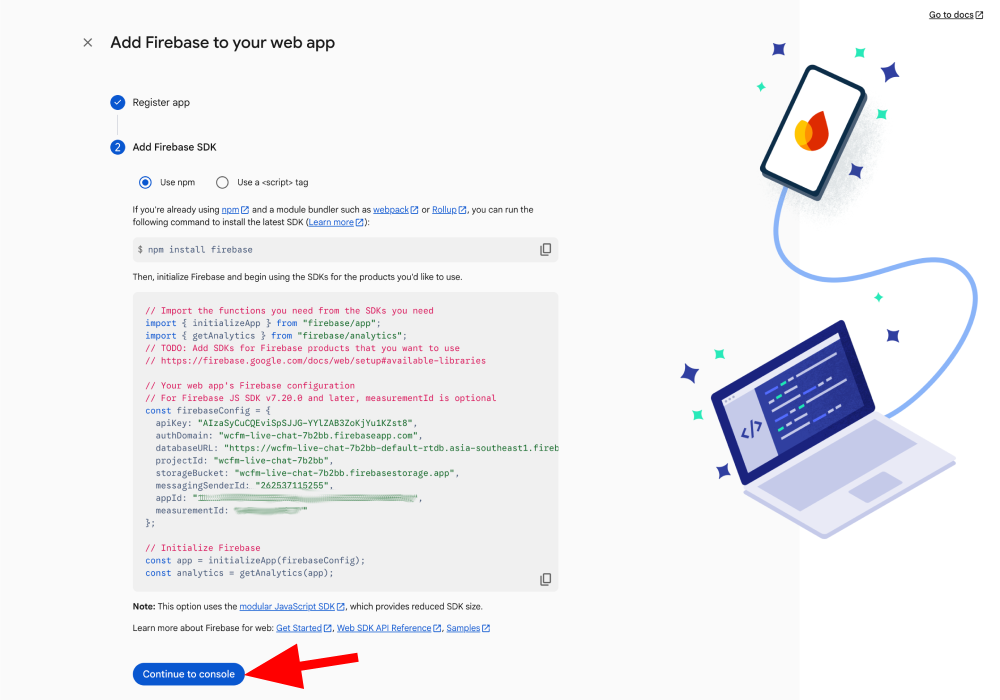
Step 4 : Copy the apiKey value (if not already done in the previous step).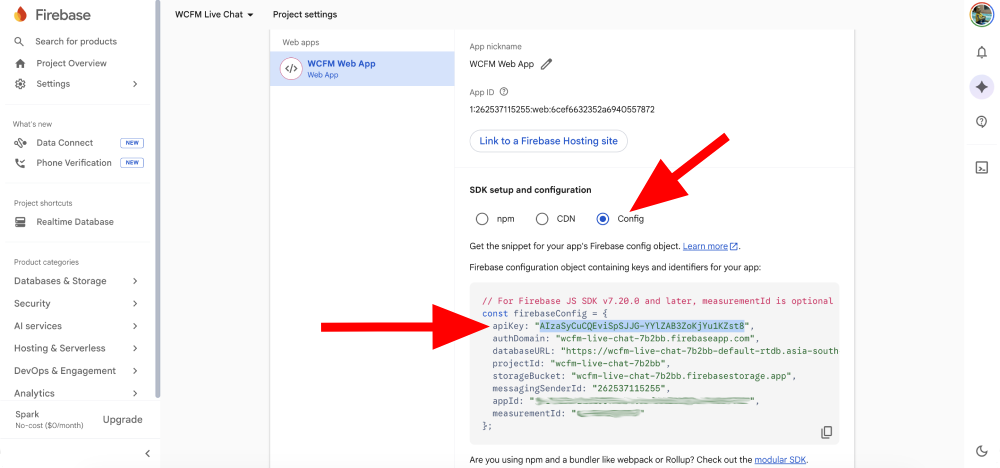
Step 5 : Paste the apiKey into WCFM dashboard > Settings > Chat Box > Web API Key field.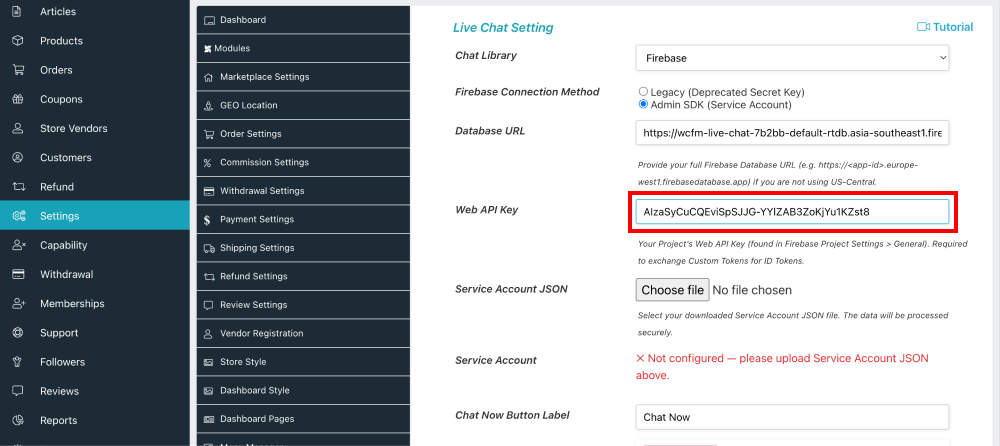
Step 6: Save the settings, reload the page, then return to Chat Settings to upload the Service Account JSON in the next step.