Step 1 : Click the Service Accounts tab under Project settings and select Generate new private key.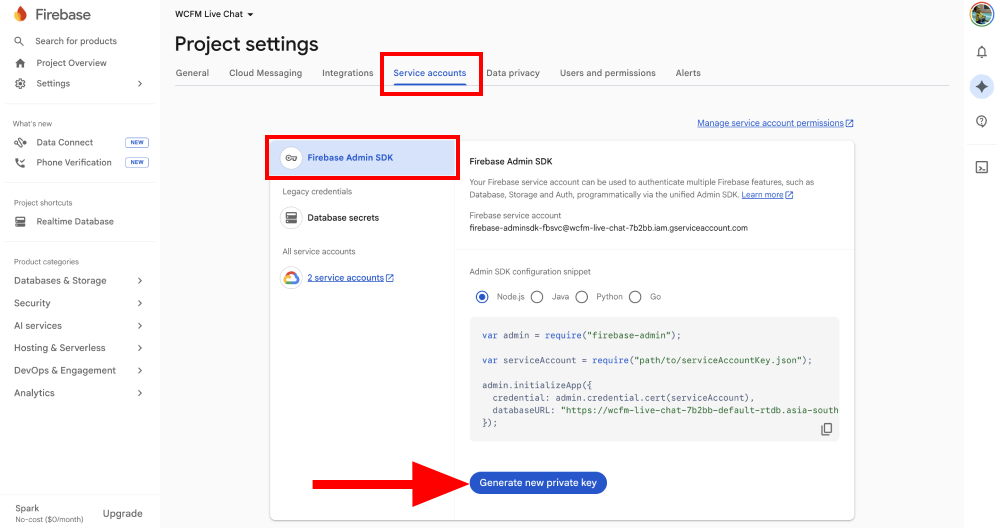
Step 2 : In the confirmation pop-up, click Generate key. This will download a JSON key file to your computer.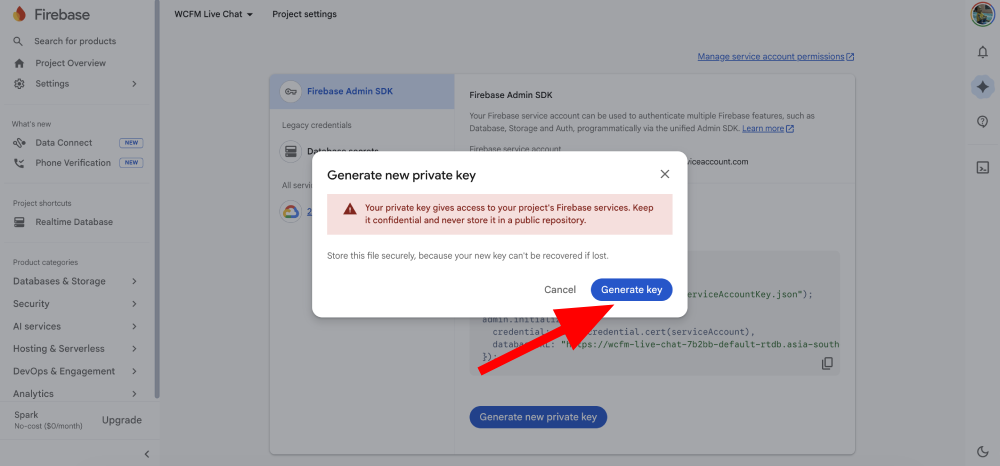
Step 3 : Go to the WCFM Chat Settings page and click the Service Account JSON > Choose file button to upload the JSON key file you just saved.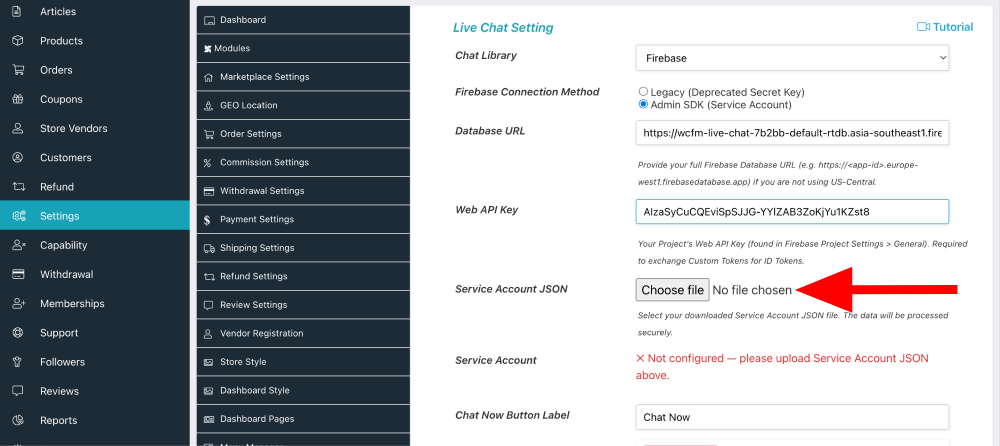
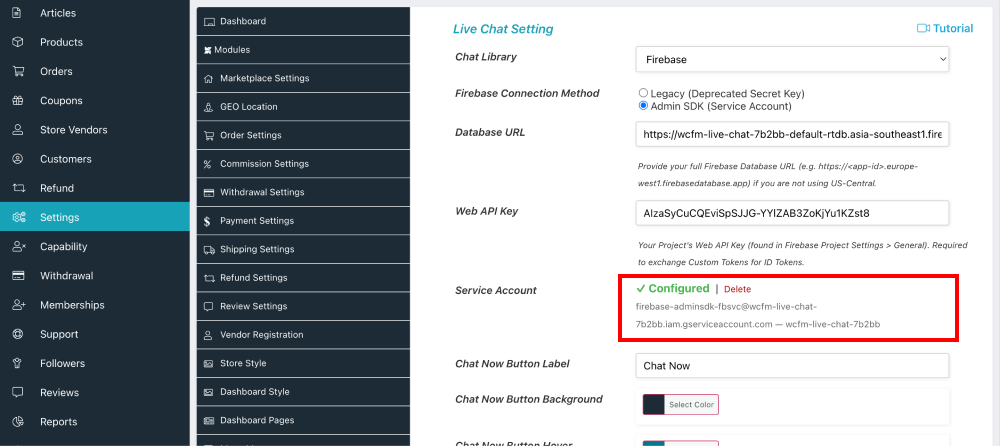
Step 4 : Once uploaded, the status will show as Configured. The Delete button allows you to remove this private key and upload a new JSON key file if necessary.